
School Laptop Setup
To setup a laptop for student use:
[ Español ] [ Kreyòl Ayisyen ]
Print Guide for Parents/Quarantined Students
– to accompany a provisioned laptop
(please print and provide with laptop)
To setup a laptop for student use:
[ Español ] [ Kreyòl Ayisyen ]
Print Guide for Parents/Quarantined Students
– to accompany a provisioned laptop
(please print and provide with laptop)
Microsoft’s Student Advantage Program provides free downloads of the full version of Microsoft Office (Microsoft Word, Excel, PowerPoint, Outlook, OneNote, Publisher, Access, etc.) for all St. Lucie County students, in District operated schools, for use on their personal and mobile devices. Download and activation requires a student network username and password which is provided to all actively enrolled students.
Please be aware, this process works best on a computer. iPads, mobile devices, etc. will display differently.
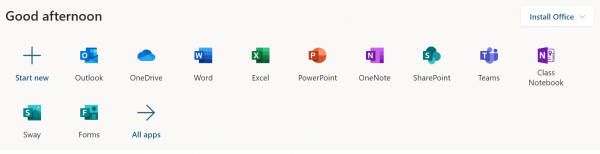
Free downloads of Microsoft Office (Teams, Microsoft Word, Excel, PowerPoint, OneNote, Publisher, Access, etc.) for all St. Lucie County students in District operated schools, for use on their personal and mobile devices, up to 5 devices.
Office 365 works like you: everywhere. Familiar applications and always-accessible files update in real time to learning curriculum seamless and easy on Android, iOS or Windows devices. Learn how you can prepare to use Office 365 and Teams for Distance Learning.
Getting Started with Office 365 [ Español ] [ Kreyòl Ayisyen ]
Canvas is a Learning Management System or LMS. It is used by your teachers to provide an organized, collaborative space where students can learn and grow.
Once inside of a Course in Canvas, students will have a HELP button for each class that will provide additional support.
Digital Accessibility tools are helpful technology resources used across platforms to meet the diverse needs of learners. Read on to find out how students can use these tools to support their online learning and try out the tools in the interactive guides/demos.
Reading: https://aka.ms/InclusiveReadingDemo
Help students read more effectively
Math: https://aka.ms/InclusiveMathDemo
 Provide inclusive math tools
In this interactive guide, you’ll see how inclusive math features from Microsoft provide a toolbox of free capabilities to empower students of all abilities and learning styles, improve comprehension of written problems and their solutions, and enable students to work independently at their own pace.
Writing: https://aka.ms/InclusiveWritingDemo
Communication: https://aka.ms/InclusiveCommunicationDemo
 Improve student and parent communication
In this interactive guide, you’ll see how inclusive classroom tools from Microsoft can help you improve communication with students and parents. You’ll see how to present with live captions and subtitles, hold multilingual group conversations, and provide one-on-one translation.